

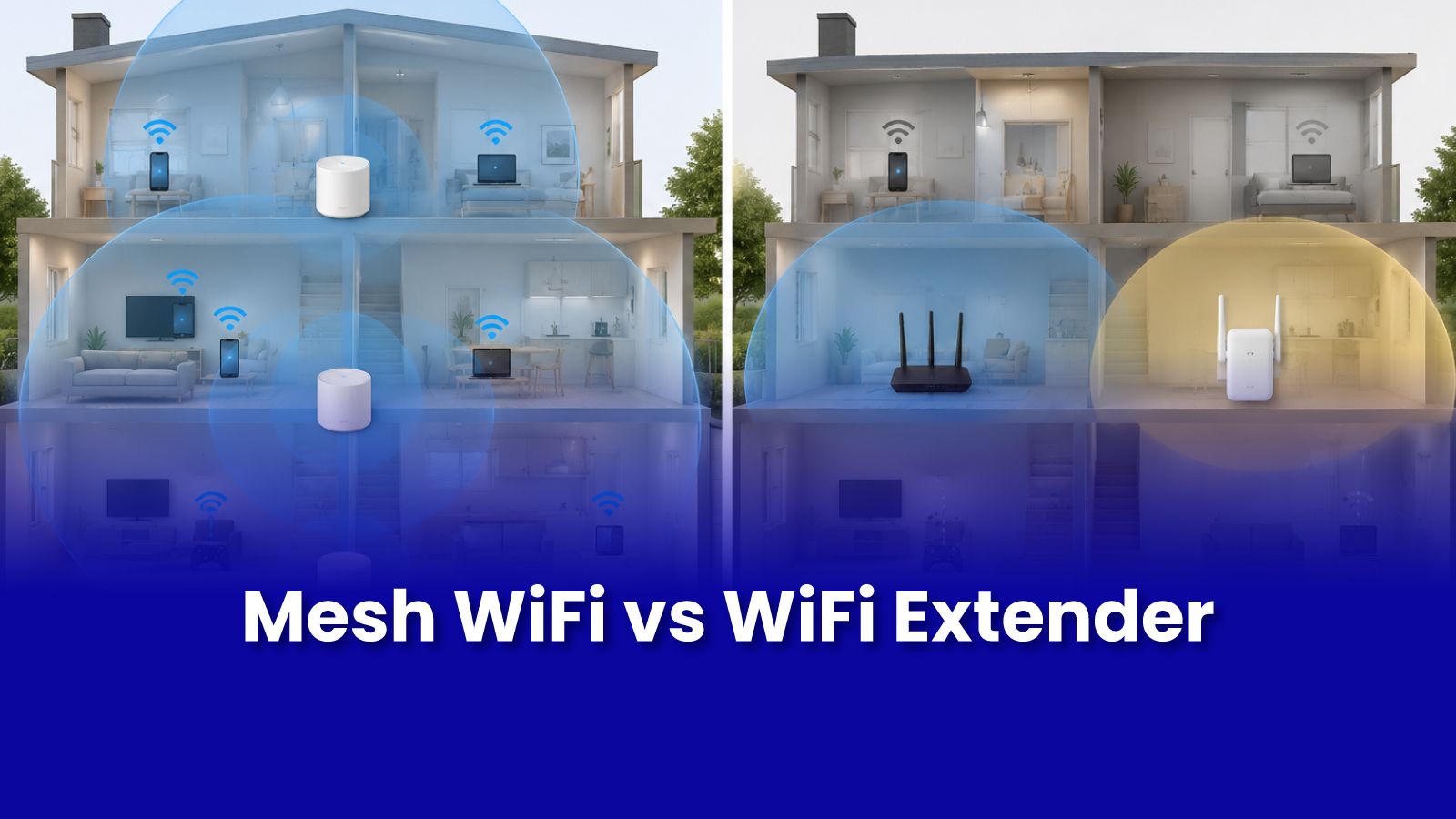
Your WiFi is fine in the living room but drops to nothing in the bedroom or balcony. Someone told you to buy a WiFi extender. Someone else said to get a mesh system. They are not the same thing and picking the wrong one will frustrate you.
What a WiFi Extender Actually Does
A WiFi extender receives your router signal and rebroadcasts it. Simple in principle with one significant catch: it rebroadcasts on the same radio it receives on, which means it uses half its bandwidth to receive and the other half to transmit. Devices connected to the extender effectively get less than half the bandwidth of the main router.
Additionally, most extenders broadcast a separate network name (SSID). Your phone does not automatically switch between your main router and the extender you have to manually switch, and the device often stays connected to the weaker signal long after you've moved away from it.
What a Mesh WiFi System Actually Does
A mesh system uses multiple nodes that communicate with each other using a dedicated backhaul channel either a separate radio band or a wired connection. The result is a single unified network name that your device connects to seamlessly as you move around the home.
- Single SSID - you connect to 'Home WiFi' once. The system handles which node you are actually talking to.
- Seamless roaming - your phone hands off from one node to another as you move, without disconnecting.
- Full bandwidth at each node - tri-band mesh systems have a dedicated channel just for node-to-node communication, so client bandwidth is not halved.
Which One Is Right for Your Mumbai Home?
- 2BHK apartment with one dead zone - a WiFi extender placed midway is usually sufficient and costs less.
- 3BHK or duplex with multiple dead zones - mesh is the right call. Concrete walls in Mumbai buildings block 5 GHz signal aggressively.
- Rented home where wall drilling is not an option - mesh nodes on furniture or shelves work well without any structural changes.
- Homes where everyone notices the WiFi drop when walking between rooms - mesh solves seamless handoff; extenders do not.
Best Mesh WiFi Systems for Indian Homes
- TP-Link Deco - best value, easy setup, widely available, excellent for most 2BHK and 3BHK setups
- Netgear Orbi - strong performance, tri-band models for larger homes, slightly premium pricing
- ASUS ZenWiFi - excellent for high-usage households with multiple devices and heavy streaming
All are compatible with Indian ISPs including JioFiber, ACT, and Airtel Xstream.
Why Placement Matters as Much as the Product
A mesh system placed incorrectly performs no better than an extender. Nodes need line-of-sight or minimal obstruction between them. Router mode versus access point mode needs to be set correctly to avoid double-NAT. A Pockit engineer confirms placement and configures everything correctly.
Get Expert Tech Support in Mumbai Today
Bought a mesh system and not sure how to set it up for maximum coverage? A Pockit engineer places and configures it correctly. Starts at Rs.299.
Call or WhatsApp: +91 92402 51266
Mon–Sun, 10 AM – 7 PM | Remote support 24/7
Serving Andheri, Powai, Goregaon, Bandra, Thane & all of Mumbai